Capture moments
Photos, voice notes, thoughts and milestones.
AI is for the world.
The Parent-Guided Family AI.
Your child gets answers shaped by you - using your family’s approved answers, memories, routines and voice.
Free during early access
Parent-approved. Private. Made for family life.
Your family’s AI
Capture memories, get answers, build routines and stay connected - all in a safe, private space for your family.
One example from family life
“What happens before bed?”
“We brush our teeth, choose a story, and have a cuddle.”
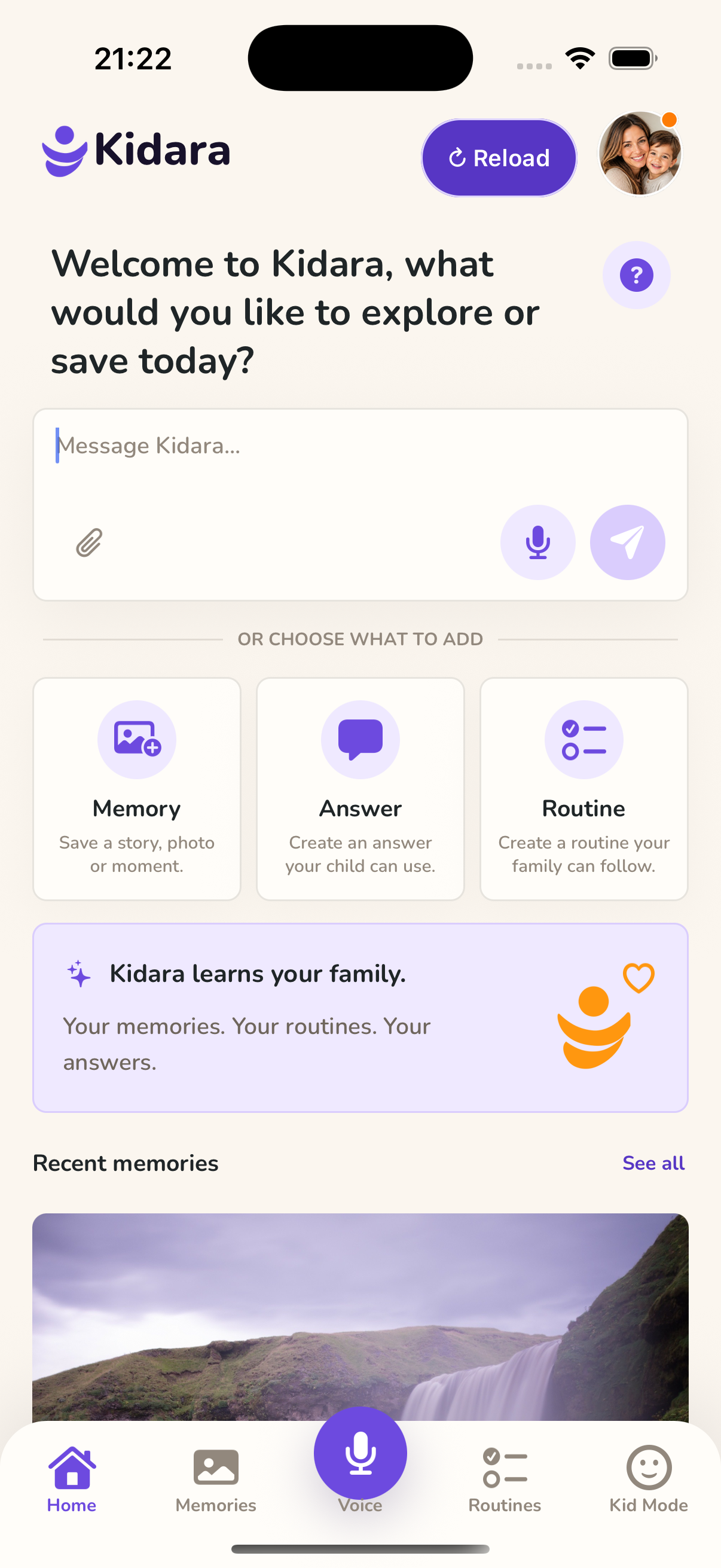
Photos, voice notes, thoughts and milestones.
A safe space for curious minds.
From mornings to bedtime.
A shared space for what matters.

A message from the founder
Hear Sreejith Sreenivasan, Founder of Kidara, introduce the idea behind Kidara in his own words.
Watch on YouTube (opens in a new tab)Why families choose Kidara
You decide which answers, memories and routines become part of your child’s experience.
Text, photos, videos and recordings are checked. Files stay hidden until their checks pass.
Children discover the family content you have chosen, without unrestricted access to an open-ended AI assistant.
How it works
Kidara helps parents prepare calm answers for the repeated questions, transitions, routines and meaningful moments that happen during busy days.
Create answers in your words, record your voice, or review an AI draft before your child hears it.
Save familiar responses for mornings, bedtime, meals, school, screen time and family moments.
Kids explore the answers, memories and routines you have chosen and approved, in a calm, simple space.
They may not remember today. But one day, you can share it with them.
Ready when you are
Choose your device and download Kidara.
Kidara is currently free to use. There are no paid plans right now.